The New Agent Workspace: Organizing the Desktop for Higher Talk Time
May 17, 2026
3 min read
An agent should be talking to people, not navigating their own screen. When call controls and lead data are scattered across tabs, agents spend more time managing windows than having conversations. The new Agent Workspace brings everything into one view, dropping the technical distractions that slow down the workflow and eat into talk time.
Faster lead access
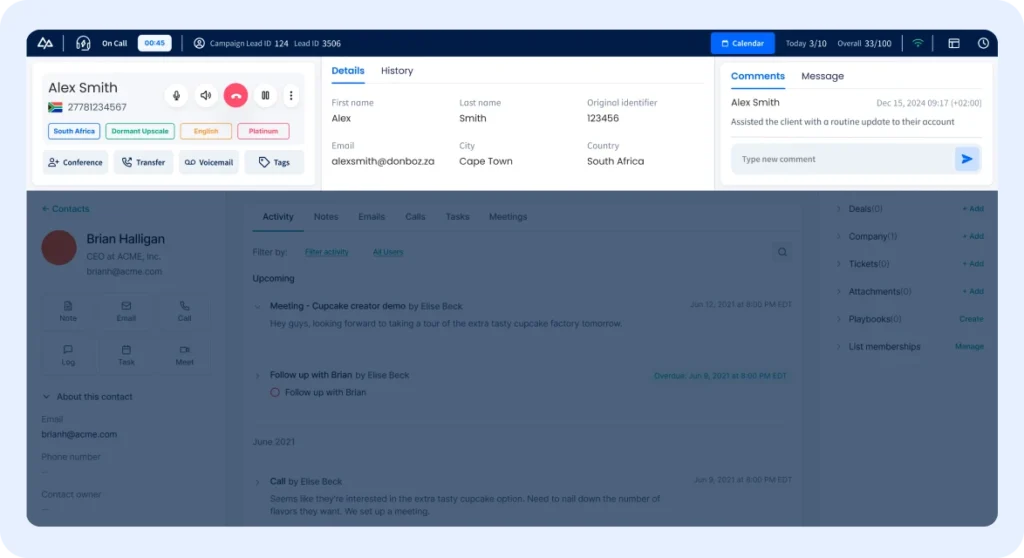
When call buttons are separate from lead data, agents have to toggle back and forth to see who they are talking to. The new Workspace brings the CRM profile and the phone controls into one view, so the mute, transfer, and end-call buttons sit right next to the lead’s details. By putting the profile and the controls in the same space, the agent can stop switching screens and start the conversation with the information they need already in front of them.
Adjusting the layout
Different campaigns require different levels of detail. Some calls might need a quick look at a name, while others involve long history logs and detailed notes. Because the sections in the workspace are resizable, the layout can be changed to fit the situation. Expanding the notes area doesn’t mean losing sight of the call buttons or the lead’s contact info. This ensures the right details stay on screen while the work is being done.
Conversation Context
Understanding a lead involves looking back at previous notes or call results. Instead of searching through separate logs or scrolling through separate windows, the interaction history is now part of the main display. Having these details in view makes it easier to verify previous promises while the lead is still on the line.
Streamlining post-call action
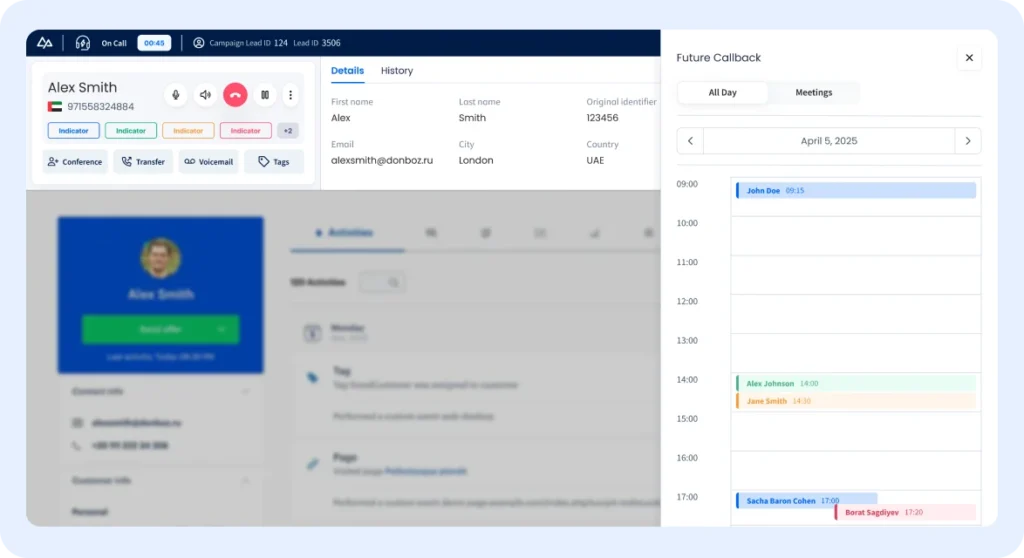
The work continues after a call ends. Entering feedback, selecting a status, or scheduling a follow-up often takes up more time than it should if those tools are scattered. Integrating these options into the main workspace makes the transition between calls faster. Submitting a status or scheduling a callback on the same screen allows the administrative work to be finished before moving on to the next call. Updating the record while the details are fresh ensures accuracy and cuts down on admin work at the end of the shift.
Work smarter
Higher talk time depends on how easily agents move through their tasks. Shifting from multiple tabs to a single-screen layout changes the way agents interact with the platform. Putting information and controls in one place makes the workspace easier to navigate, which leads to a more organized workday and a better pace.